Update ·
Go through every update on Kuro's pile
Kuro now brings the five latest updates as a pile of cards in the corner, so you can throw each one off to see the next.
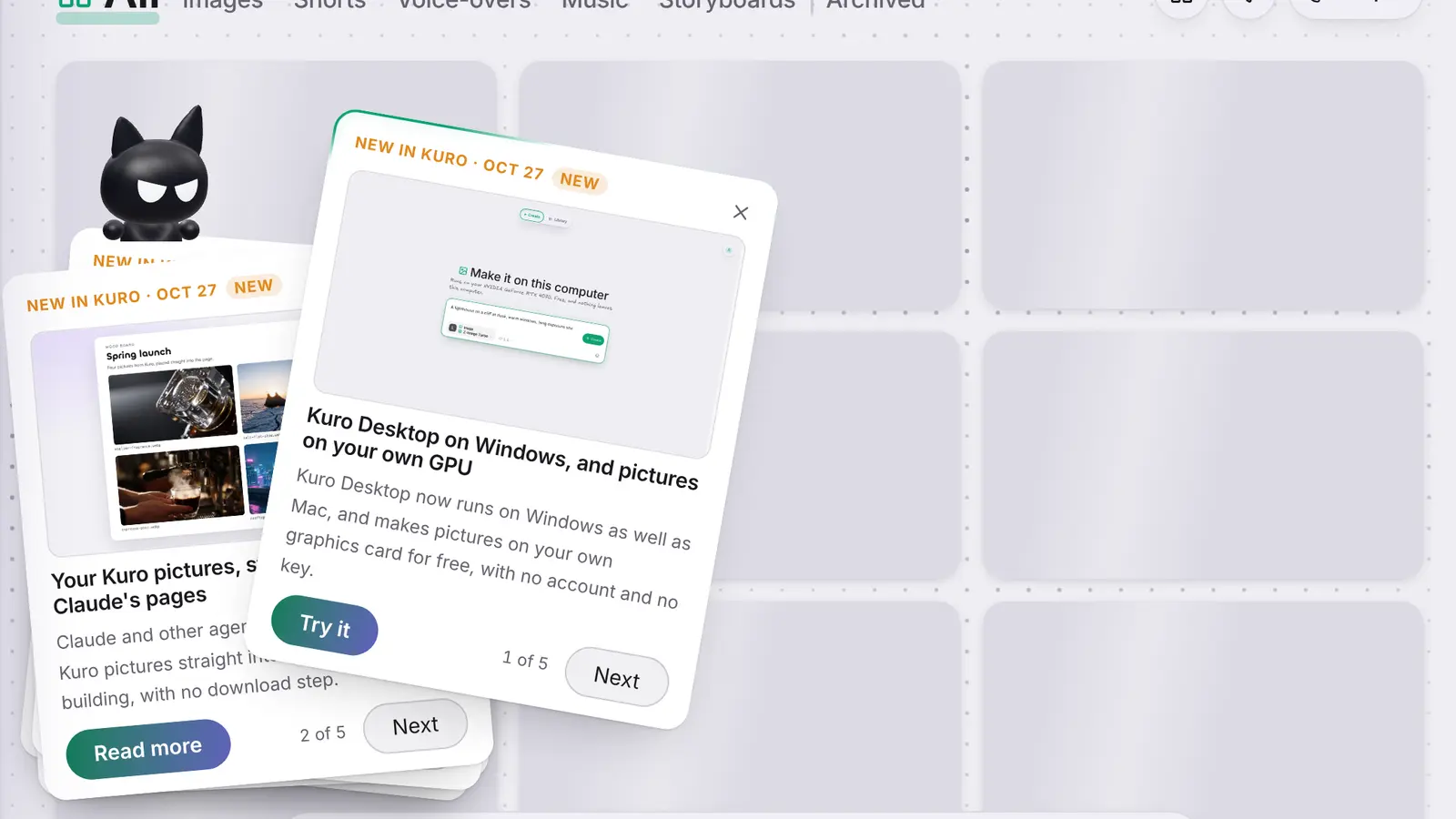
Until now, Kuro’s What’s new card in the corner showed only the newest update, and +2 more sent you into the account menu to find the rest. Most people never went.
A pile instead of one card
When something new ships, Kuro now brings the five latest updates as a pile of cards in the bottom-left corner. The ones you haven’t seen yet wear a New tag. Throw the top card off in any direction, or press Next, and the one under it comes up. Kuro hops onto each card and has a look at its picture.
Every card keeps its own Try it or Read more. On the last card, Done puts the pile away, and the cross does the same at any time.
Still once per batch
The pile comes once for each batch of updates, the way the card did, and counts as seen on every device you use. On a phone it’s the same pile: swipe the top card away to see the next.
Any time from the account menu
What’s new in the account menu no longer opens a list inside the menu. Press it and Kuro deals the pile in the corner, newest on top, even after you’ve put it away. On a computer the menu stays open beside the pile, so you can read the news and carry on with what you opened the menu for.